Update:
Many many of you loving Fritzing fans asked us to extend the deadline because holidays didn’t leave a lot of time to work on your submission, so the new deadline is July 29th at noon, Central European time.
We are very eagerly looking forward to discover your submissions.
(Deutsch - English version below)
Entwickle ein Giveaway-Projekt für unsere Fritzing-Kits und gewinne 500 Euro!
Es soll ein:
- interessantes
- nützliches
- unkompliziert
- überlichtschnelles Dreh-Blink-Sound-Krach-Dings-Bums entstehen, dass wir dann in unseren Kits verschicken.
Benutzt werden können:
- Basiskomponenten wie LEDs, Button, Batterieclips, Piezos, ICs, die nicht programmiert werden müssen (z.B. NE-555)
- Platine mit bis zu 8cm2 Größe
Um am Contest teil zu nehmen lade Deine Projektidee als Fritzing-Datei bis zum 11. July 29. July(12 Uhr CET) in die Fritzing Projektgalerie. Es muss unter Creative Commons Lizenz – Share Alike veröffentlicht werden und in den Tags muss das Schlüsselwort »PCBgoodie« eingetragen werden.
Wichtig ist die Vollständigkeit der Fritzing-Ansichten (Breadboard-, Schematische und Platinen-Ansicht) Das gesamte Fritzing-Team wird als Jury den Gewinner von 500 Euro küren.
Kriterien sind:
- Originality
- Simplicity
- Fun factor
- Usefulness
English version:
Create a give away PCB for our Fritzing-Kits and win 500 Euros cash !
It should be:
- interesting
- useful
- uncomplicated
- hyper-lightspeed Turn-Blink-Sound-Noise-Thing’a’Bob which we can ship with our kits.
You can use:
- basic components like LEDs, button, battery clips, piezos, non- programmable ICs (e.G. NE-555)
- PCB up to 8 cm2
To participate upload your project as Fritzing file into the Fritzing project gallery till the 11 29 of July (12 o’clock CET). It must be published under Creative Commons License – Share Alike and the tags should contaion the tag »PCBgoodie«.
The completeness of the Fritzing-Views (breadboard, schematic and PCB view) is importand. The whole Fritzing team will elect the winner of 500 Euros!
Criteria are:
- Originality
- Simplicity
- Fun factor
- Usefulness

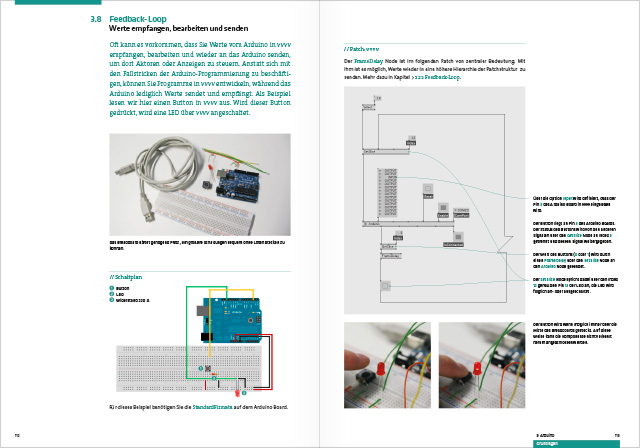
We just got a note from Mark Lukas about the release of their book Prototyping Interfaces that teaches and showcases how to build interactive things with vvvv and Arduino. They used lots of Fritzing sketches to illustrate their examples. A really nice idea is that they turned the book cover into a capacitive sensor.
It’s all in German, but I assume an English version will follow soon.
Find out more at https://prototypinginterfaces.com
Thanks to the team of authors: Jan Barth, Roman Stefan Grasy, Jochen Leinberger, Mark Lukas, Markus Lorenz Schilling
DE: Nach Wochen des Reinigens unseres Servers von Bergen von Altlasten funktioniert unser Fab-Login endlich wieder. Vielen Dank für Eure Geduld.
EN: After weeks of cleaning the old server heritage the Fab login is finally working again. Please feel free to test it and send some feedback. Thank you for your patience.
Today we released a new Fritzing version, 0.8.0. Download it here. In previous releases of Fritzing, you could only look at the board from above, in the new release you can also look at the board from below. Furthermore, you can now place any part–THT or SMD–on either side of a double-sided PCB.
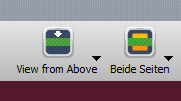
To control the point-of-view, we added a new button to the toolbar. Just click to toggle the viewpoint from above to below, and back again.
Here is an example sketch, first viewed from above:
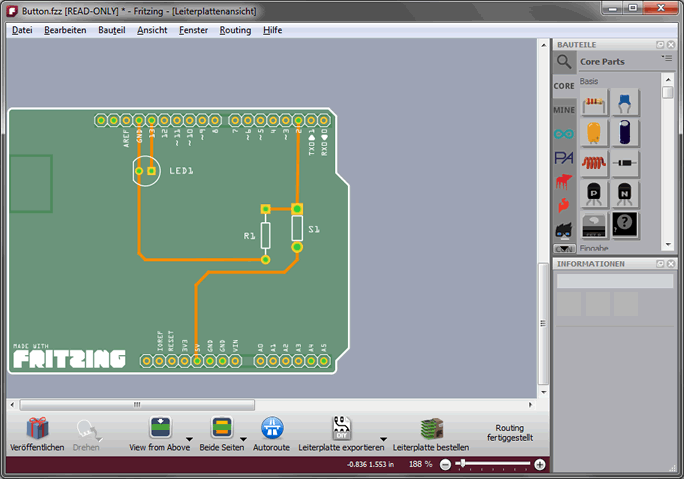
Now, after toggling the button, viewed from below:
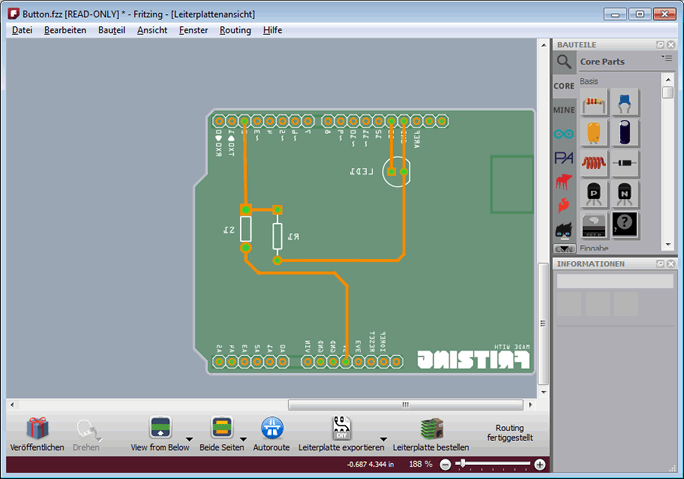
You use the current point-of-view to determine on which side of a board a new part or trace will be placed--if you are currently viewing from below, then dragging in a THT part from the Parts Bin means you are pushing the part in from underneath.
You can also use the Both/Top/Bottom activation toggle to control the side on which a new part or trace is placed. So even if you are viewing from below, if only the top side is active, new parts will be placed on the top.
But don't worry if you get it wrong or change your mind--the Inspector now has a "layer" widget to let you change whether a part is placed on the top or bottom side.
And that leads us to another feature of this release. The Inspector now has a 'placement' section that contains a number of controls. You can use these controls to set a part's location, rotation, lock state, and top-or-bottom state. (In addition to the location control, we have added some basic alignment functions--top, left, right, bottom, center--to the Part menu.)
Inspector styling has been improved so that it's clearer when a control is disabled, and when a combo-box will accept text entry (as opposed to being a pure drop-down).
You will find that it's generally easier to select parts that are underneath other parts, in both PCB and Schematic views (and in PCB view, switching the point-of-view gives you another way to reach hard-to-click items).
Thanks to sponsorship from Analog Devices Inc., rotation and flip are now enabled for all parts in Schematic view. Additionally, part text elements in Schematic view will preserve their orientation under these transforms. Stay tuned for some other ADI-sponsored features in upcoming releases.
You can find a more complete list of changes here.
We hope you will enjoy version 0.8.0.
-- Your Fritzing Team
PS. Inevitably with all the changes, there are going to be new bugs. Since the Forum is currently in a transitional state, please use our issue tracker to report problems. Take a quick look to see whether your issue has already been reported (and add a comment if you have something new to relate). If you don't see a relevant existing issue, then click the "new issue" button to make a new report.
The Open Knowledge Foundation is organising the EnergyHack Berlin hackathon this weekend as a contribution to the “energy revolution” everyone is talking about in Germany, and we are also sponsoring this event.
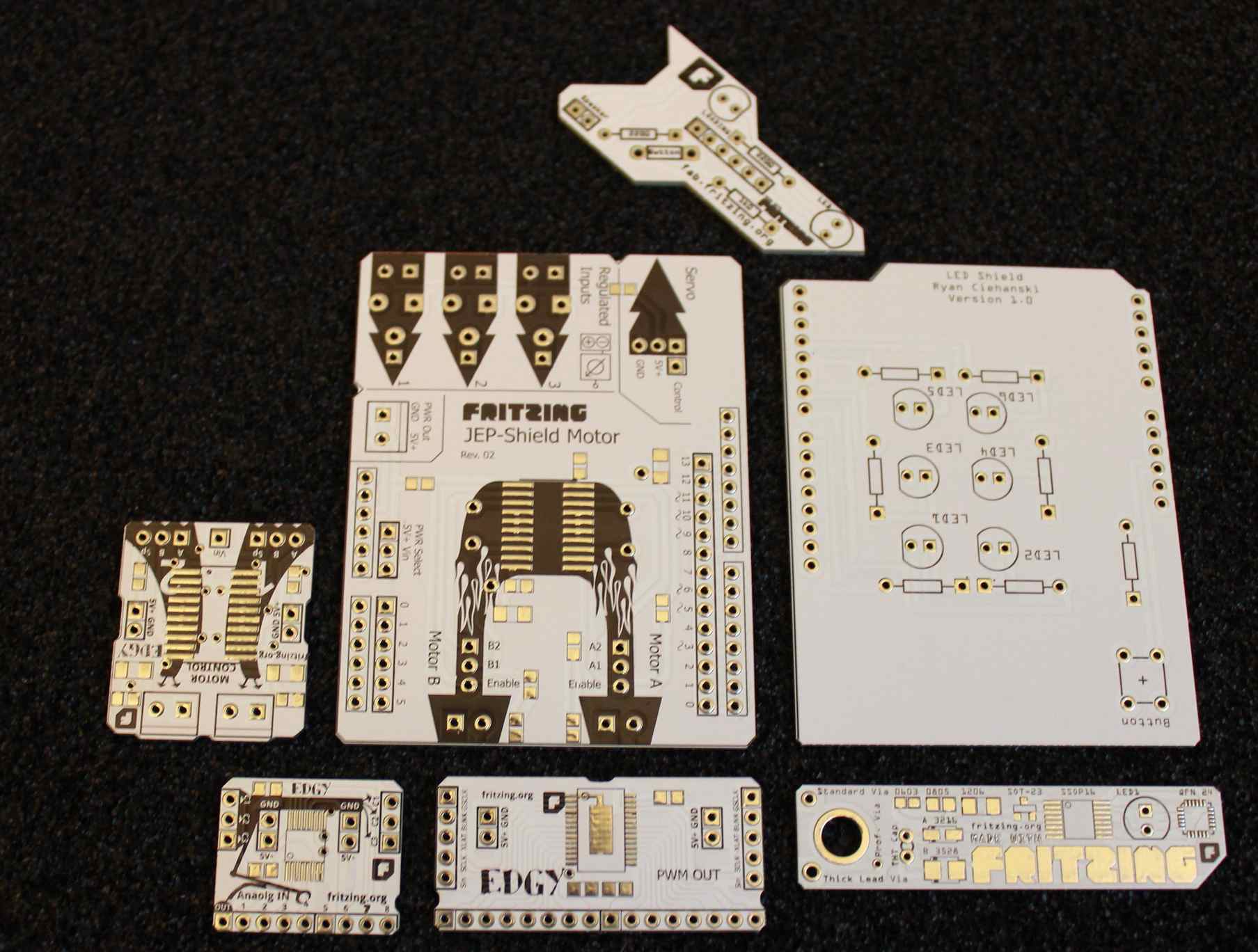
All hardware hacks that will be documented using Fritzing and shared online will get free PCBs from our Fab Service.
This will be a very exciting opportunity to use public big data and combine it with small data collected with IoT devices. If you are a tinkerer, a developer, a designer or just interested, just join us and spread the word!
Expertenworkshop für den Hackday “EnergyHack” from Open Knowledge Foundation on Vimeo.