Fritzing 1.0.8 speeds up everyday editing: you can edit many parts at once, part locking finally behaves, and a marker points at the exact part that has a problem. The release also brings a native Linux build for the Raspberry Pi and other ARM boards. And Fritzing can now deliver corrected parts into your existing sketches safely. We tested it on macOS 26 Tahoe, Windows 11, Ubuntu 22.04, Ubuntu 24.04, and Raspberry Pi OS Trixie.
What’s New
Multi-Selection Editing
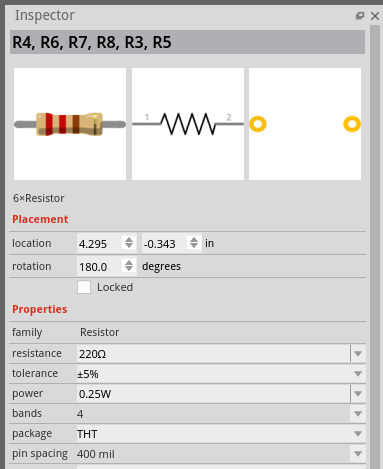
You can now select several parts and edit them together in the Inspector. It shows the values the parts have in common and applies changes, including package swaps, to the whole selection #3179. Wires, holes, and net labels get the same group treatment: select them, change the width or color once. This was a long-standing request.
A Lock That Behaves
Part locking got an overhaul. The lock symbol is visible and clickable, stays upright when you rotate the part, keeps clear of connector pads, and does not appear in exported images. Locking is undoable, locked parts no longer swallow clicks meant for parts on top of them, and a right-click can no longer flip a locked board. New PCBs start locked and sticky, so you stop dragging the board when you meant to drag a part.
Bug Markers for Broken Parts
 Some sketches contain a part that is genuinely broken. Maybe a third-party part ships with mismatched connectors, or a bug in a very old Fritzing version damaged the sketch when it was saved. The symptoms were mysterious: a connection that never routes, a ratsnest line that will not go away, and no hint which part is at fault. Fritzing could detect this, but only in debug builds, which painted the whole view red. Few people ever saw that screen.
Fritzing 1.0.8 turns this check into a regular feature. A bug icon marks the exact part or wire with the problem, and a tooltip describes it. Each icon sits just outside its item, follows wires as they move, and stays clickable. You can go straight to the part that needs attention.
Linux on ARM
Fritzing now ships a native Linux ARM (aarch64) build as an AppImage. It runs directly on a Raspberry Pi and similar boards, with no emulation. We tested it on Raspberry Pi OS Trixie. The ARM build needs glibc 2.39 or newer.
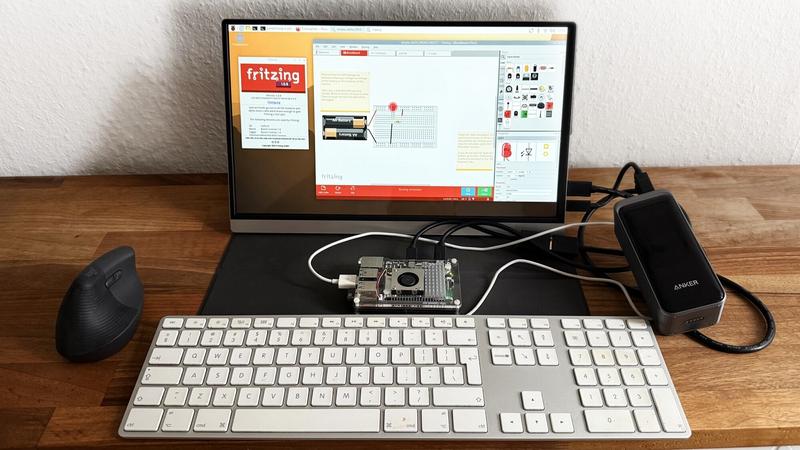
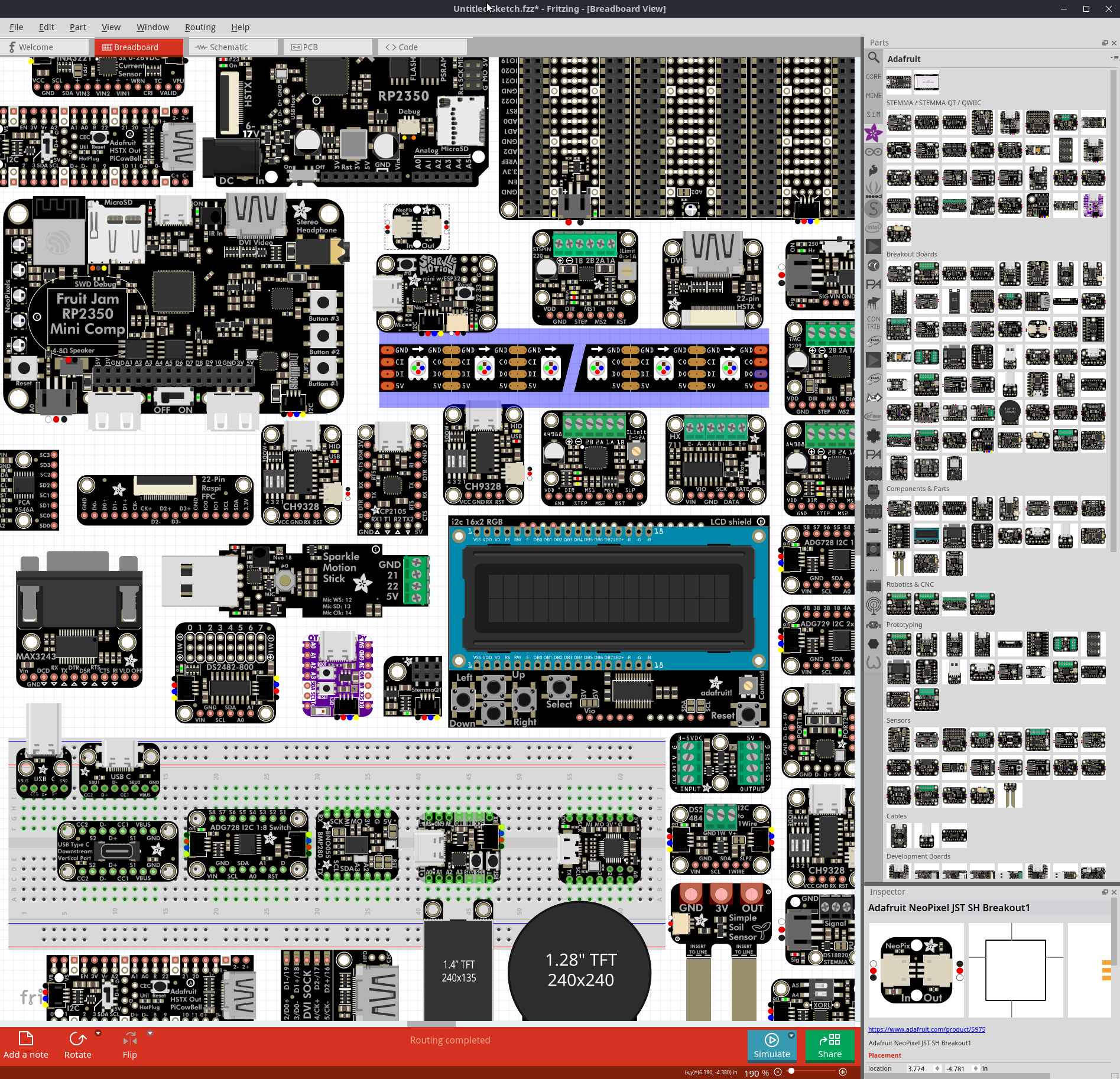
Fritzing 1.0.8 on a Raspberry Pi: the simulator lights an LED, routing completed.
Net Label Styles
Net labels in the schematic view gained alignment options #4315. The text inside a label can align left or right. For groups of labels there are two automatic styles: outside, which keeps the text away from the wire, and connector aligned, which points it toward the connector. In 1.0.8, new labels default to the outside style. The next release changes the default to connector aligned. Old sketches keep their legacy rendering until you switch a label. The switch is worth it, because the legacy labels could look quite ugly.
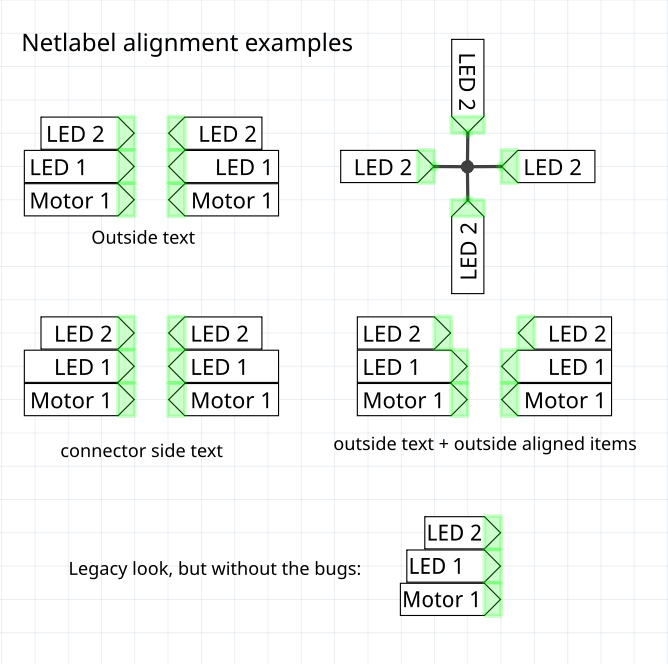
Alignment of net labels is proper bikeshedding territory, and we have no strong opinion. Our mild preference: connector-aligned text, natural length, no whitespace padding. If you do pad labels with spaces to a uniform length, that is now safe: grouping ignores leading and trailing whitespace, so “GND” and “GND “ form one net.
Two font problems that spoiled the alignment are fixed as well. Noto Sans added extra whitespace on the right of a label, but only for certain characters #4315. The padding is now even across fonts. And net labels in older sketches that use Droid Sans came out at their smallest width, too narrow to read #4300.
Safe Part Updates
We corrected the generic 5 mm LED: its pad markings had anode and cathode swapped, against the de-facto standard #268. A fix like this was risky before, because it silently changes sketches that already use the part. Fritzing 1.0.8 adds the missing machinery. A Part Migration dialog updates obsolete parts one at a time and shows each part’s revision history and description. A migration keeps your instance values, such as an LED’s color and wavelength, keeps your wires connected, and you can undo it. Obsolete parts show a badge you can click to migrate, and you can search your bins for the word “obsolete”. A separate post will explain the LED change in detail.
BOM
The bill of materials got a printer-friendly layout, and the CSV export gained a Value column. Pads no longer show up in the list.
More Parts
The parts library gained the Infineon BLDC Shield (IFX007T) and the Infineon XMC4700 Relax Kit. A WS2815 12 V addressable RGB LED strip is included too, based on a contribution by Skillkiller #412.
Bug Fixes and Improvements
Reliability and data safety
- Crash recovery no longer overwrites a sketch with an empty 22-byte .fzz. Fritzing refuses to write an empty bundle and keeps the crash backup when recovery fails.
- When Fritzing cannot find a part while it loads an .fzz, it reloads the part from the bundle. It also saves non-core parts without a PCB layer id.
PCB and export
- Keep a pad in the solder paste mask when a via ring fully overlaps it #4304
- Fixed near-integer raster export dimensions and kept the rasterized image size in Gerber export
- Pad corner-resize no longer inflates the pad each gesture. It snaps to half the grid
Schematic and net labels
- Fixed the schematic net label width with the Droid Sans font #4300
- More even net label padding across fonts #4315
- Restored the link text in the French translation of the copper-layers error #4200
Inspector and editing
- You can insert digits inside a value in editable Inspector fields again #4173
- Undo and redo work after Inspector property edits and after you use the color dialog
- Fixed 1 µF that showed as 1000 nF, and the BOM CSV that showed a default capacitance for polarized capacitors
- Fixed unreliable Ctrl+click to add or remove a selection
Wires
- Vertical, shift-constrained wire drag in breadboard view #3919
- Free-floating three-way bendpoints stay connected
UI polish
- Modernized cursors, with HiDPI hotspot fixes and a workaround for mixed-DPI Windows setups
- Hover hints no longer wipe status bar messages, and status messages now time out
Simulation
- Stabilization only this release. Fixed a transient-simulation crash. A clear message replaces a crash when ngspice cannot load. Corrected the lab power supply readouts, and fixed DC-analysis time-vector errors
macOS
- The close dialog is now application-modal, which avoids a mouse-event routing error #4301
Translations
- Added Lao as a new language
- Updated German (with a modernization pass), French, Spanish, Bengali, Lithuanian, Portuguese (Brazil), and Portuguese (Portugal). Thanks to our translators on Weblate!
- Added a glossary file that helps translators keep Fritzing terms consistent
OS Requirements
- macOS: macOS 11 (Big Sur) and later. Universal binary with native Apple Silicon and Intel support. Tested on macOS 26 Tahoe.
- Windows: Windows 10 and 11 (64-bit), tested on Windows 11. ARM runs through Prism on Windows 11 24H2.
- Linux: AppImage for x86-64 with glibc 2.31 or newer (tested on Ubuntu 22.04 and 24.04), and a new AppImage for ARM (aarch64) with glibc 2.39 or newer (tested on Raspberry Pi OS Trixie).
The release is on our downloads page. If you work with older sketches, open one and let the Part Migration dialog update its parts.