I’ve been lead programmer for the Fritzing application for 5 1/2 years and sole programmer for most of the last four. In that time I’ve closed more than a thousand issues; composed a couple thousand forum replies; pushed nearly 5000 commits; and cranked out more than 50 releases.
One can only run full-tilt for so long; it’s time for me to take a sabbatical. Before I go, I’d like to thank Reto and André for originating the project; Reto (and the government of Brandenburg) for the grants that gave the project such a strong start; and my past and present colleagues for putting so much of themselves into the work–the list is too long to display them all.
Finally, I’d like to thank the everyone in the Fritzing community for your enthusiastic (and early) adoption of our continual work-in-progress, and for your great patience with what has effectively been a distributed QA software releasing methodology. If I could, I’d buy you all a beer.
With warm regards from chilly Berlin,
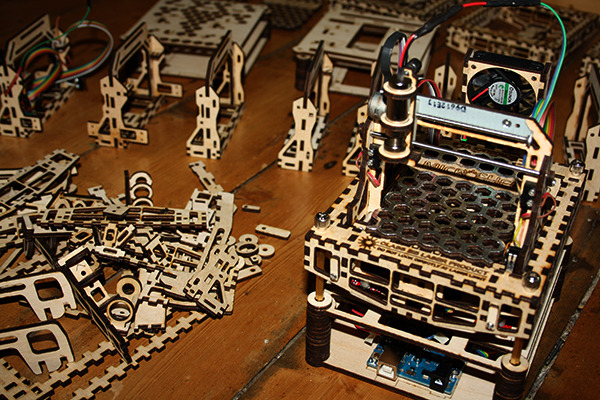
The MicroSlice is a DIY-at-home mini laser cutter & engraver and right now up for backing on Kickstarter. It is able to cut paper and engrave wood & plastics on a working area of 5 cm x 5 cm.
The MicroSlice works with an Arduino UNO, which is included in the full kit together with all the other necessary parts. The software is open source and free to use for personal usage.
https://d2pq0u4uni88oo.cloudfront.net/projects/755836/video-335605-h264_high.mp4
Hopefully in the future there will be the possibility to not just engrave but so cut wood and plastics with it at home…how cool would that be?
Check it out!
We just released Fritzing 0.8.6. Aside from some bug fixes and a few new features, it mostly addresses schematic view. To display the changes, here are two images of the stepper motor example. The first is from 0.8.5 and the second is from 0.8.6. They are both zoomed to 100%.
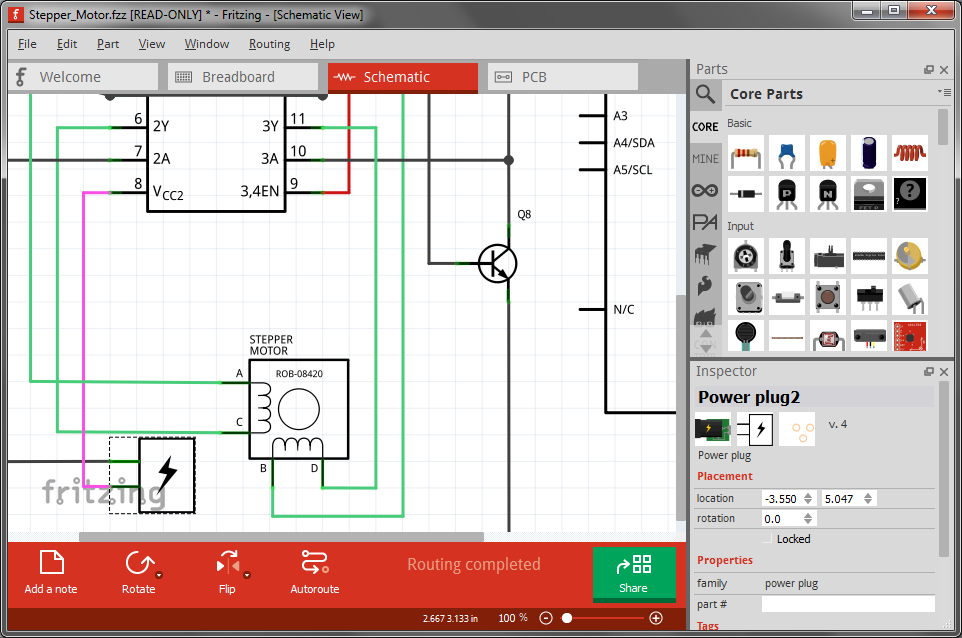 0.8.5
0.8.5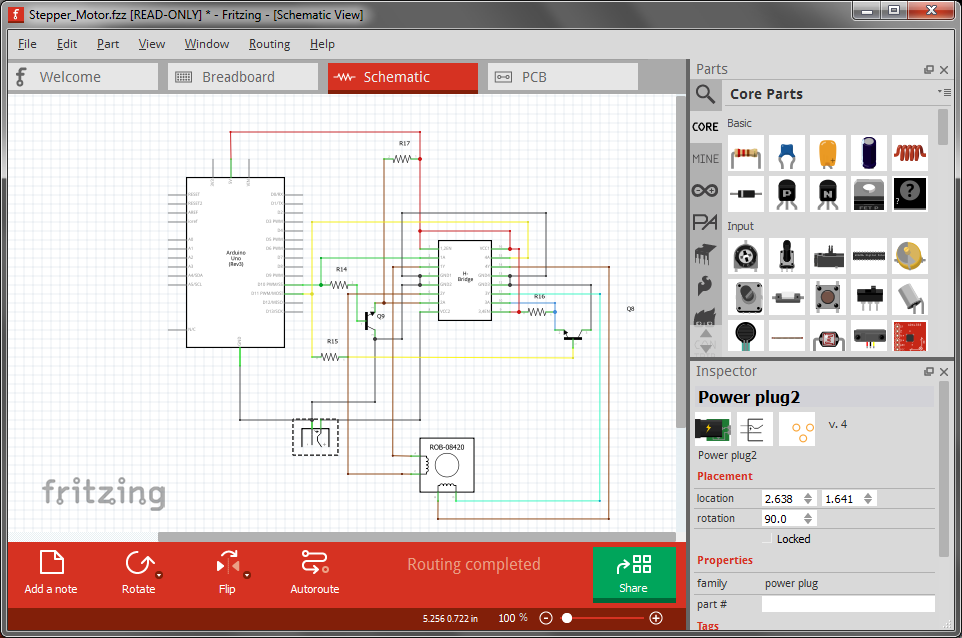 0.8.6
0.8.6
The most obvious change is that the grid size has gone from 7.5 mm to 0.1 inches. This will save some trees when you print. It also means we are using the same grid across all three views. But more important than the particular grid size is that all parts that ship with Fritzing now conform to it. This means that schematic diagrams will look much neater. In the past, there were a couple of competing standards (plus a few oddballs), so schematic diagrams tended to be pretty ragged.
In addition we have revised a number of schematic part images to bring them more in line with general usage.
So what happens if you load an existing sketch into 0.8.6? If you didn’t draw any wires in schematic view, Fritzing assumes you are not particularly invested in the current state of that view, and will use the new standard. But if there are schematic wires, Fritzing will give you a choice: open the sketch read-only and see the original schematic, or convert to the new standard.
The conversion process will change parts, but beyond some adjustment for the new part sizes, the wires will not be rerouted. So you will probably have some straightening out to do. Custom schematic images are not converted. I would suggest you use the Parts Editor to give the custom part a new schematic image. To assist you with this, if you switch to schematic view in the Parts Editor, under the File menu there is a Convert schematic to 0.1 grid option. This option will generate a standard rectangle-form schematic based on the existing part.
We hope you like the newly cleaned view.
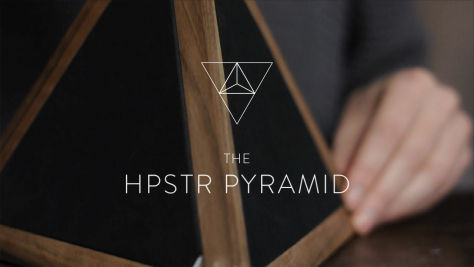
The HPSTR Pyramid is an attempt to create an alternative — but native to digital world — interface, to conventional knobs and slide controls. It’s an approach to have the same basic and generic functionality a knob has but to achieve it with a more natural interaction.
The HPSTR Pyramid has no visible interface but is the interface itself. The tetrahedron is played by pressing or tapping its sides and by altering the spatial orientation.
HPSTR Pyramid from Flavio Gortana on Vimeo.
For somebody who does not know what the instrument does and how it is operated it is nearly impossible to find out by only looking at it. But once the pyramid is played or seen in action the functionality becomes very obvious.
You can recreate the Pyramid electronics with the data on our Website.
The HPSTR pyramid was developed by Flavio Gortana within the scope of the “Musical Interfaces” class 2012/13 at FH Potsdam.
Twitter: @flaviogortana Mail: [email protected]
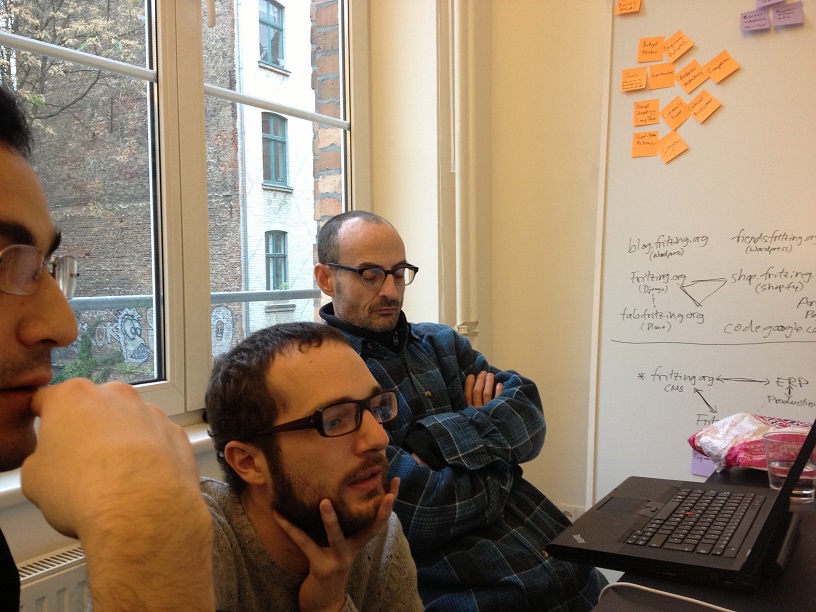
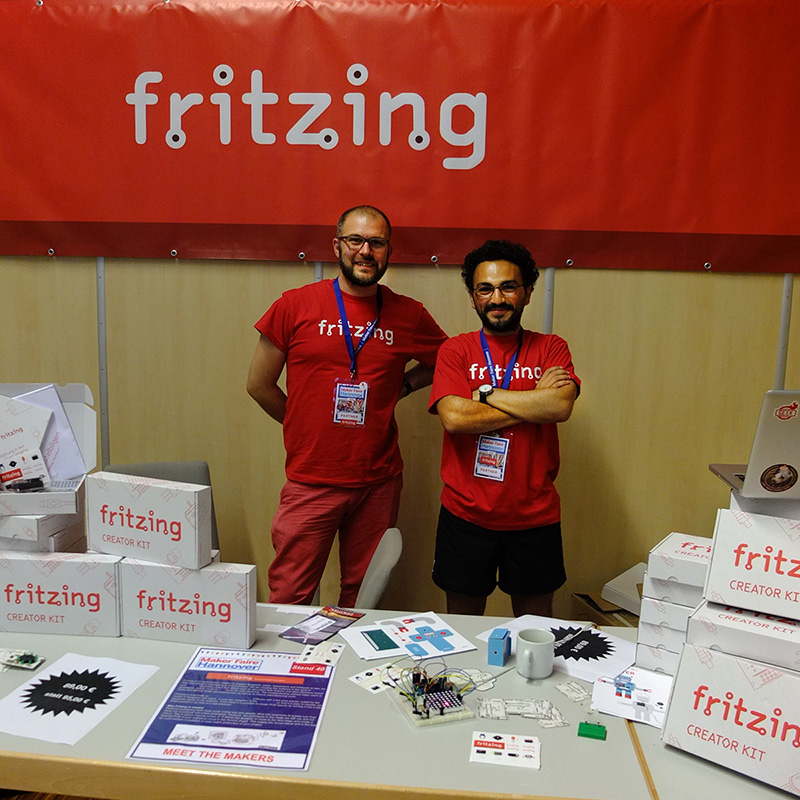 Daniel and Amin at the Makerfaire Hannover
These days feel strange here in the Fritzing land. On the one hand, there is so much positive feedback about our project, services and products, on the other hand, Daniel and Amin left the Fritzing team.
Daniel, who was working several month very hard to clean up our Django web landscape, left in autumn to join another project. By this time he was almost done and it created the base for our new and improved website – yes, the front end is still work in progress, but the backend is now nice and shiny.
With Amin I worked together a lot. We had much fun, drank, cooked and traveled. (EDIT: Sorry for the funny misspelling :D )
He was my most important sparring partner in creating the Fritzing Creator Kit. It was a very good time and I already miss him. He is now up to work again in this former area, the solar technology.
We wish you guys all the best on your way and are looking forward to see you again, soon.